Baixar vídeos, reels e fotos do Instagram

Cole um link do Instagram para baixar vídeos, reels, fotos e carrosséis. Grátis, rápido e em qualquer dispositivo.

Compatível com: Posts (/p/), Reels (/reel/), Vídeos, Carrosséis

No login ever We don't store your links Public content only

Last updated: October 2026

iGram is a free online Instagram downloader that saves public Instagram videos, Reels, Stories, photos and carousel posts to your device in HD quality. Paste the post link into iGram, press Download, and save the file. iGram works in any browser on phones, tablets and computers with nothing to install and no Instagram login needed. iGram only works with public content: posts from private accounts cannot be downloaded. Supports post links, Reel links, Story links, video links and multi-slide carousels. iGram is independent and is not affiliated with Instagram or Meta.

Como funciona

Baixe conteúdo do Instagram em três passos simples

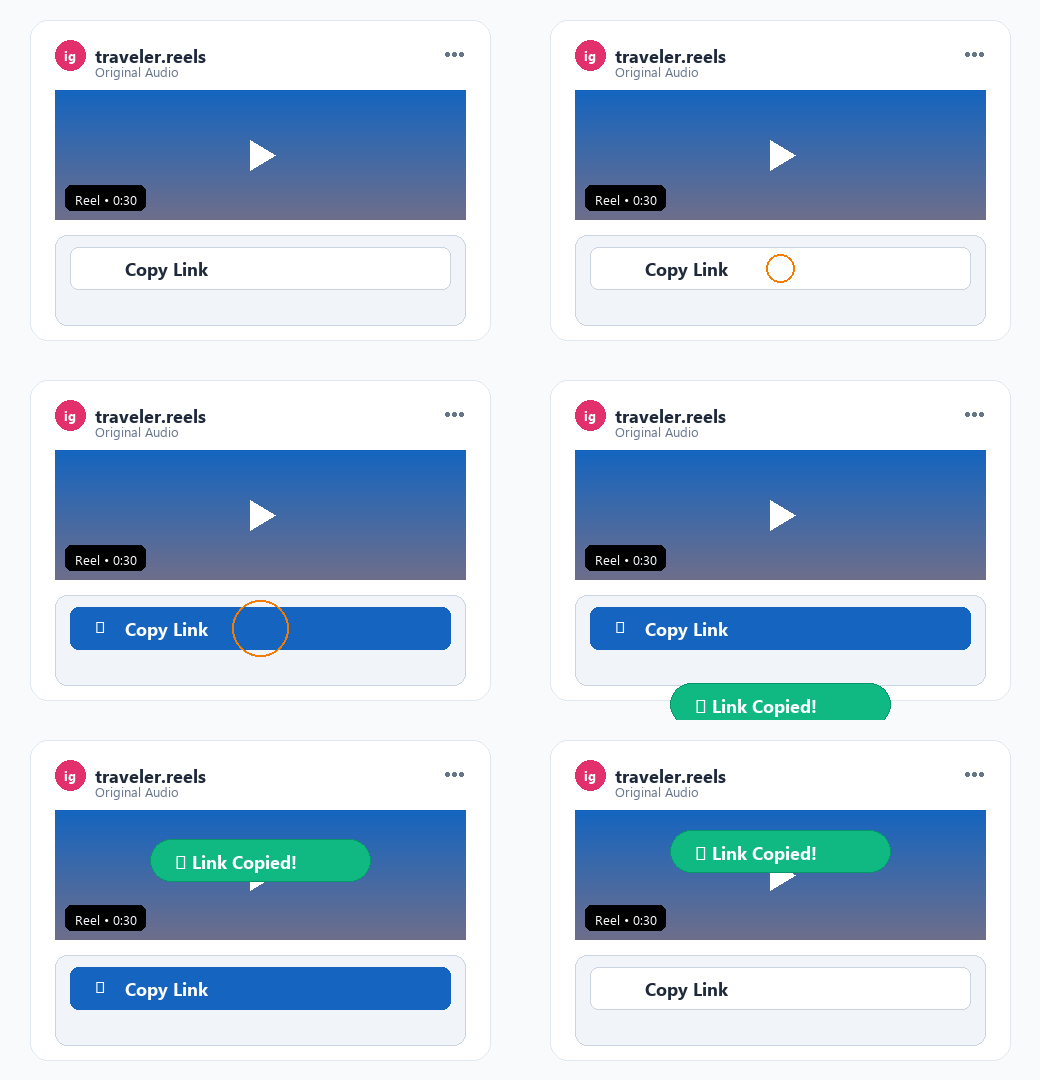
Step 1 Copy Link
Copy Instagram post or reel link

Copiar link

Abra o Instagram, encontre o post ou reel, toque no menu de três pontos e selecione "Copiar link"

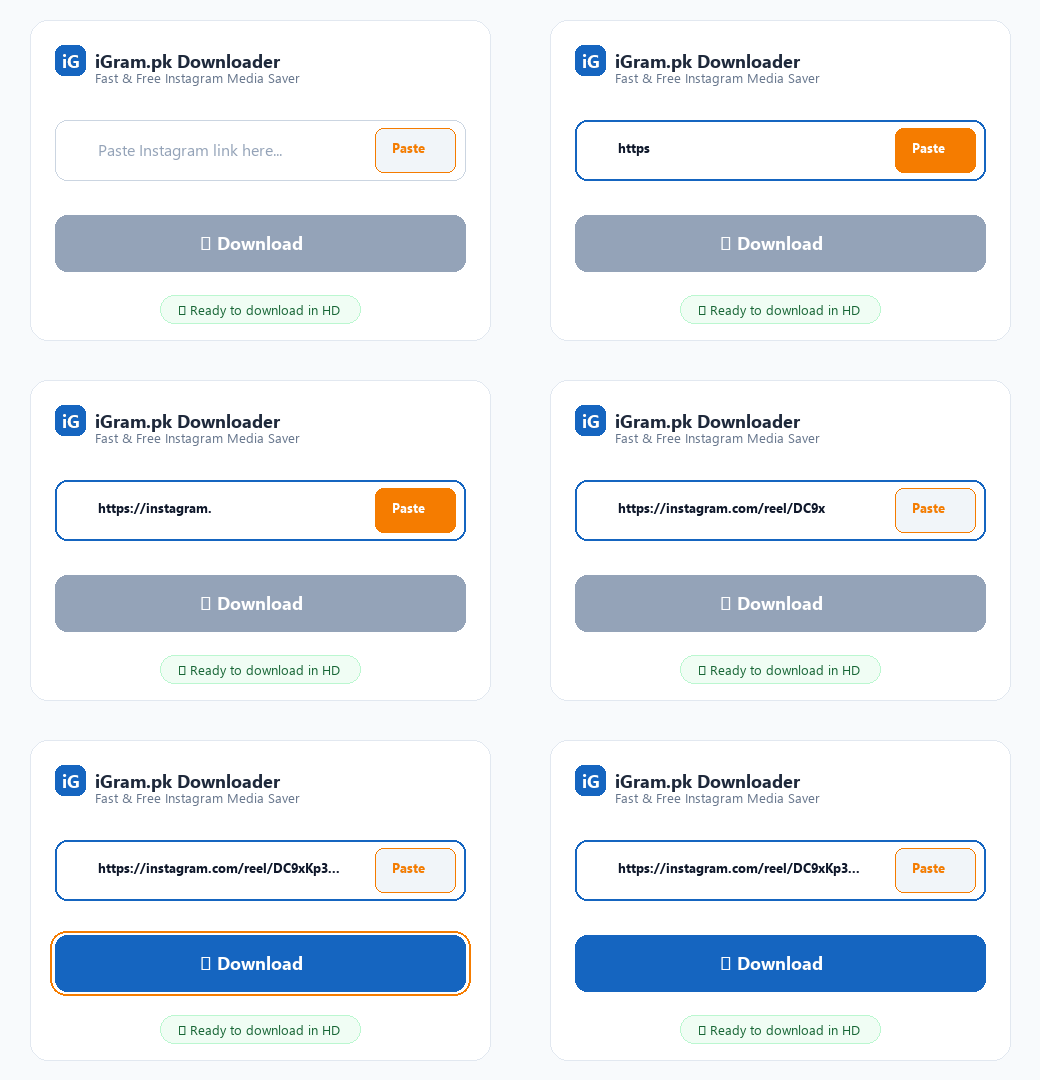
Step 2 Paste URL
Paste Instagram URL into iGram

Colar URL

Cole o link do Instagram no campo acima e clique no botão Baixar

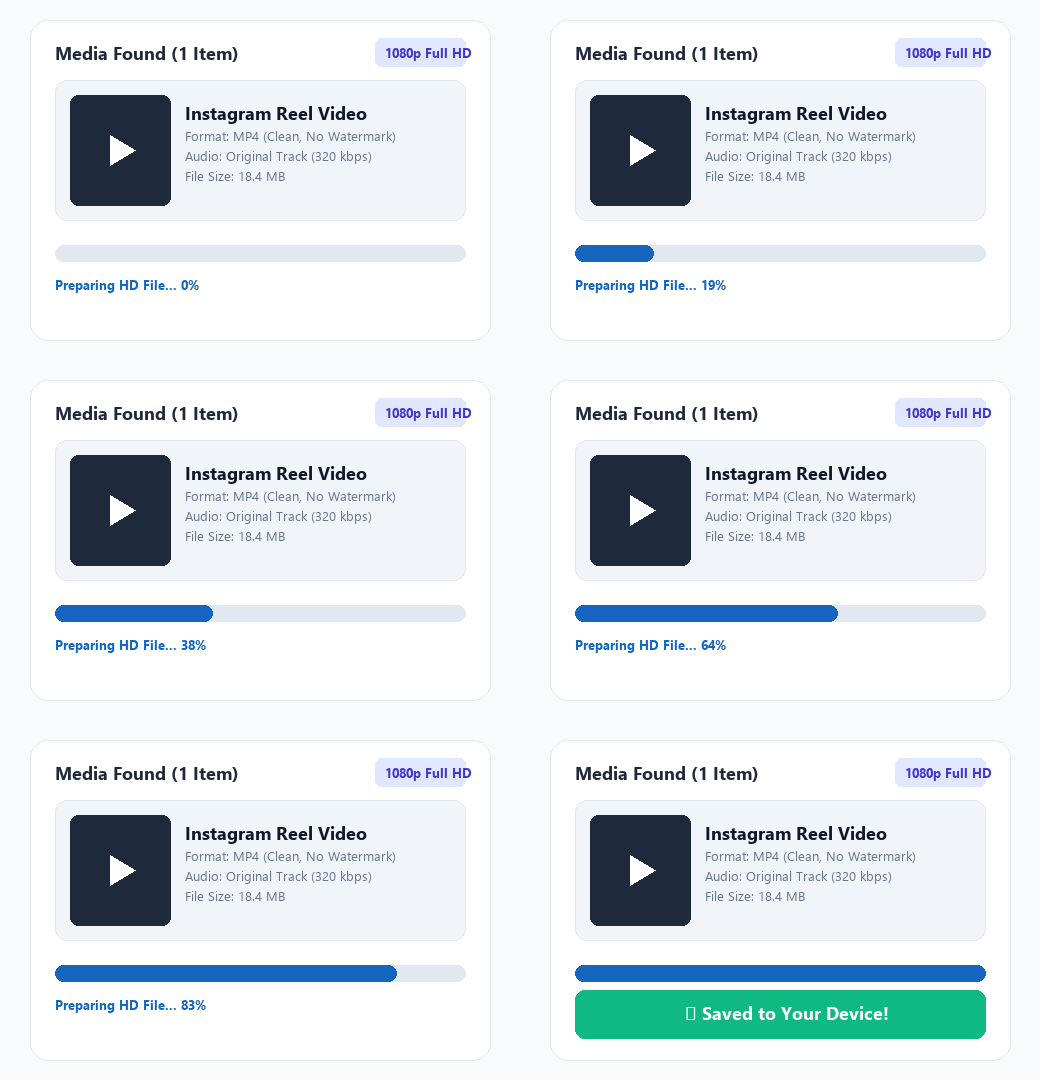
Step 3 Save HD
Download and save video or photo

Salvar

Escolha a qualidade desejada e baixe o arquivo diretamente no seu dispositivo

Por que escolher o iGram?

A forma mais simples de baixar conteúdo do Instagram

Instant

Downloads rápidos

Receba seus arquivos em segundos com nossos servidores otimizados.

Universal

Todos os dispositivos

Funciona no iPhone, Android, tablet e desktop. Sem aplicativo.

Zero-log

Seguro e privado

Sem login. Não armazenamos seus dados nem o conteúdo baixado.

1080p HD

Reels e posts

Baixe reels, posts, vídeos, carrosséis e conteúdo IGTV.

100% Free

Sem cadastro

Comece a baixar imediatamente. Sem conta ou cadastro.

Secure

Apenas conteúdo público

Respeita a privacidade ao oferecer suporte apenas a conteúdo público.

What You Can Download with iGram

iGram supports all public Instagram content types

Scroll horizontally to see all columns
Content Type How to Copy the Link File Format
Reels Short-form vertical video (9:16)
Tap Share (paper airplane) on the Reel, then tap Copy Link MP4 Video with original audio
Video Posts Standard Instagram feed video
Tap the three dots (...) on the post, then select Copy Link MP4 Video Full 1080p HD
Photos High-resolution still picture
Tap the three dots (...) on the post, then select Copy Link JPG Image Original resolution
Carousel Posts Multi-slide photo & video album
Tap Share on the post, then select Copy Link Multi-file Each photo (JPG) & video (MP4)
Stories 24-hour disappearing stories
Use the Story Saver with public username or story link MP4 or JPG While story is active
Profile Photos Full-size account avatar (DP)
Use the Profile Photo Downloader with username Full-size JPG High quality avatar

How to Download Instagram Content on Any Device

Zero app installations required — runs directly in your favourite web browser

iOS 13+ • Safari

iPhone and iPad

Open iGram in Safari, paste the Instagram link, and tap Download. Safari saves the file directly to your Downloads folder inside the Files app, from where you can easily save it to your Photos app.

  • 1 Copy Instagram link via Share menu
  • 2 Paste into iGram in Safari
  • 3 Tap Download → Open in Photos
Android 8+ • Chrome

Android Phones

Open iGram in Chrome, Firefox, or Samsung Internet, paste the link, and tap Download. Media files save directly to your phone's Downloads folder and instantly show up in Google Photos or your Gallery app.

  • 1 Tap Share → Copy Link in Instagram
  • 2 Open iGram in Chrome and paste
  • 3 Video instantly saves to Gallery
macOS • Windows

Windows and Mac

Open iGram in any browser (Chrome, Edge, Safari, Brave), paste the link from the address bar or Share button, and click Download. The file saves directly to your default Downloads folder in full HD.

  • 1 Copy URL from browser address bar
  • 2 Paste into iGram downloader
  • 3 File saves directly to Downloads

What iGram Cannot Download

We respect user privacy and Instagram guidelines: here is our clear scope of operation

Private Accounts

iGram strictly processes publicly accessible content. Posts from private accounts cannot be retrieved by external tools, and iGram never asks for your Instagram password.

Deleted & Expired Posts

Once a post is deleted by the creator or a 24-hour Story expires from Instagram servers, there is no file remaining to download.

Direct Messages

Direct Messages (DMs) are private 1-on-1 conversations protected by encryption and cannot be accessed or saved by any third-party downloader.

About iGram : Free Instagram Video Downloader

iGram is a free Instagram video downloader that lets you save videos, Reels, photos, and carousel posts from public Instagram accounts directly to your device. Whether you want to keep a tutorial, save a recipe Reel, or back up your own content, iGram makes it simple - paste the link, tap download, done.

Unlike many Instagram downloaders, iGram works entirely in your browser. There is nothing to install, no account to create, and no personal data collected. It supports posts shared as /p/ links, Reels shared as /reel/ links, and IGTV content. On mobile, your download saves through Safari or Chrome just like any other file.

iGram is built for speed and simplicity. The interface works across all screen sizes - phones, tablets, and desktops - so you can download Instagram videos wherever you are. We support 16 languages and respect creator rights by only accessing publicly available content.

Instagram Downloader — Download Videos, Reels, Stories & Photos Online

iGram is a free Instagram Downloader that allows users to download Instagram videos, Reels, Stories, Photos, Carousel posts and IGTV videos online. Simply copy the Instagram URL, paste it into the downloader and save content directly to your device.

Our Instagram Video Downloader works on Android, iPhone, Windows, Mac and tablets without requiring registration, login or app installation. All content is downloaded in the highest available quality.

Whether you want to download a Reel, save a Story before it expires, keep a favorite photo, archive a carousel post or download an IGTV video, iGram provides a fast and secure solution for every type of Instagram content.

The Instagram Reels Downloader supports MP4 format with original audio. The Instagram Story Saver works on public accounts and preserves photos and videos in original quality. The Instagram Photo Downloader saves images at their full resolution without compression.

iGram's Instagram Carousel Downloader extracts every item from multi-image posts in a single step. The Instagram Highlights Downloader handles highlight reel content. The Profile Photo Downloader lets you view and save full-size profile pictures.

All downloads are processed securely. iGram does not store your data, does not require your Instagram credentials, and does not add watermarks to downloaded content. Start downloading Instagram content for free today — no account required.

Perguntas frequentes

Como baixar reels do Instagram?

Abra o reel no Instagram, toque no menu de três pontos (…), selecione "Copiar link", cole no campo do iGram e clique em Baixar.

O iGram é gratuito?

Sim, o iGram é totalmente gratuito. Sem cadastro, assinatura ou taxas ocultas.

Posso baixar carrosséis com várias fotos?

Sim, o iGram é compatível com carrosséis. Todas as fotos e vídeos de um carrossel estarão disponíveis para download.

O iGram funciona no celular?

Sim, o iGram funciona em todos os dispositivos: iPhone, Android, tablets e computadores. Não é necessário instalar nenhum aplicativo.

Posso baixar conteúdo privado do Instagram?

Não. O iGram funciona apenas com conteúdo público do Instagram. Não acessamos contas privadas nem coletamos credenciais.

Quais formatos de URL do Instagram são compatíveis?

O iGram é compatível com URLs de posts (/p/…), URLs de reels (/reel/… ou /reels/…) e URLs de IGTV (/tv/…). Basta copiar o link do Instagram e colar aqui.

É legal baixar conteúdo do Instagram?

Baixar conteúdo sobre o qual você tem direitos (suas próprias publicações, conteúdo compartilhado com permissão) é geralmente aceitável. Respeite os direitos autorais e a propriedade intelectual dos criadores. Não redistribua conteúdo sem autorização.

Ready to Download Your Favorite Content?

Start downloading Instagram videos, photos, reels, and stories for free. No registration required. Works on all devices.

5M+Downloads
200K+Happy Users
99.9%Uptime
FreeForever