Tải video, reels và ảnh Instagram

Dán liên kết Instagram để tải video, reels, ảnh và bài đăng nhiều ảnh. Miễn phí, nhanh chóng và hoạt động trên mọi thiết bị.

Hỗ trợ: Bài đăng (/p/), Reels (/reel/), Video, Carousel

No login ever We don't store your links Public content only

Last updated: October 2026

iGram is a free online Instagram downloader that saves public Instagram videos, Reels, Stories, photos and carousel posts to your device in HD quality. Paste the post link into iGram, press Download, and save the file. iGram works in any browser on phones, tablets and computers with nothing to install and no Instagram login needed. iGram only works with public content: posts from private accounts cannot be downloaded. Supports post links, Reel links, Story links, video links and multi-slide carousels. iGram is independent and is not affiliated with Instagram or Meta.

Cách hoạt động

Tải nội dung Instagram chỉ với ba bước đơn giản

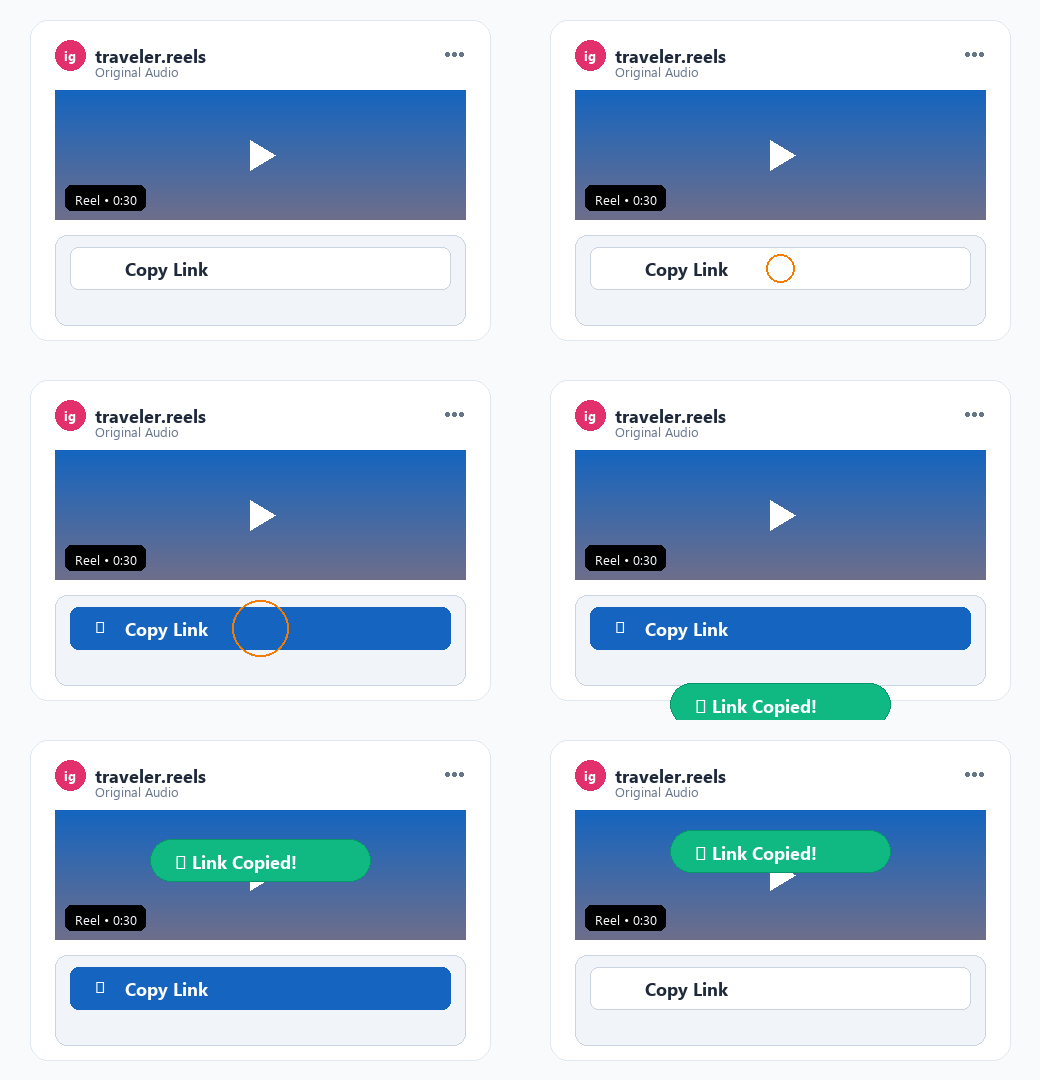
Step 1 Copy Link
Copy Instagram post or reel link

Sao chép liên kết

Mở Instagram, tìm bài đăng hoặc reels, nhấn vào menu ba chấm và chọn "Sao chép liên kết"

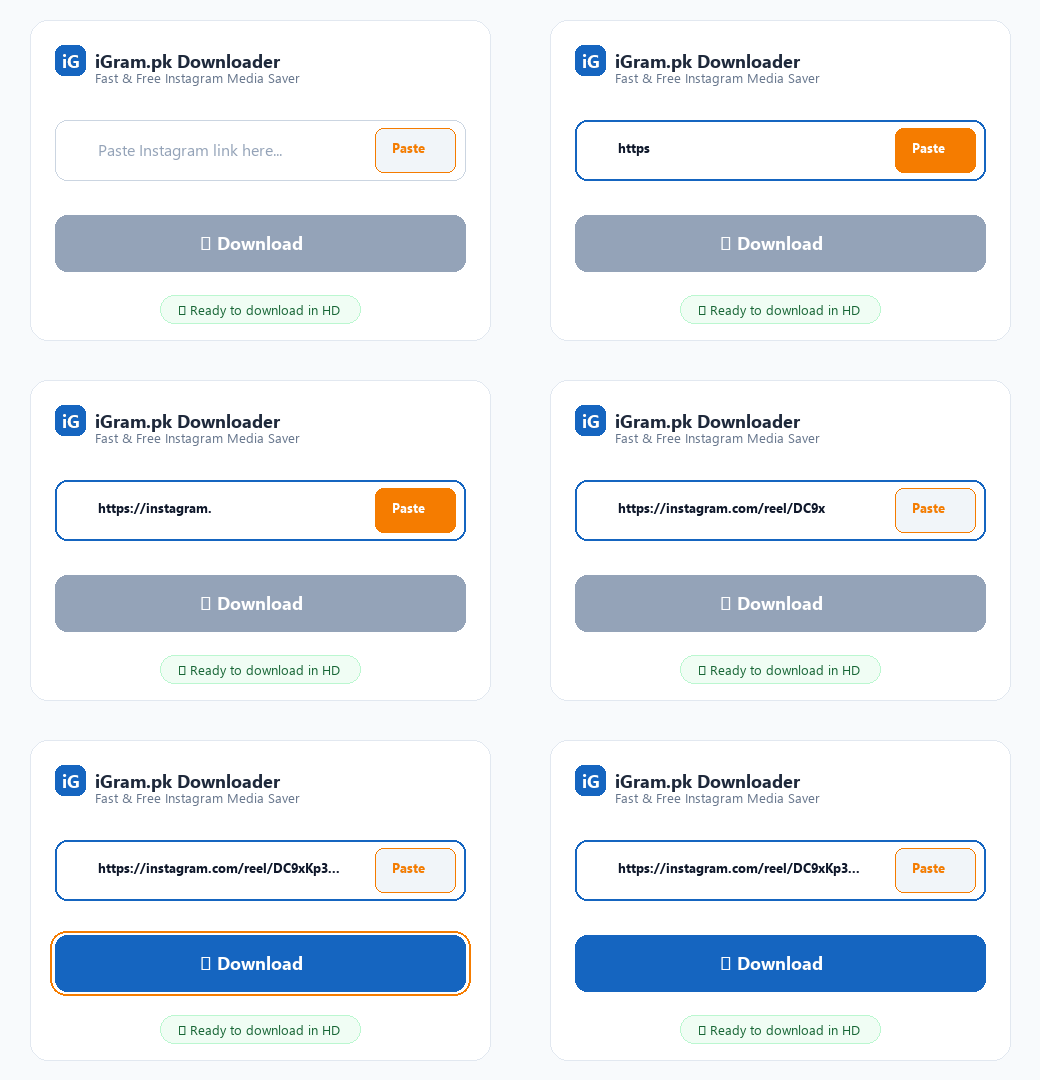
Step 2 Paste URL
Paste Instagram URL into iGram

Dán URL

Dán liên kết Instagram vào ô nhập liệu phía trên và nhấn nút Tải xuống

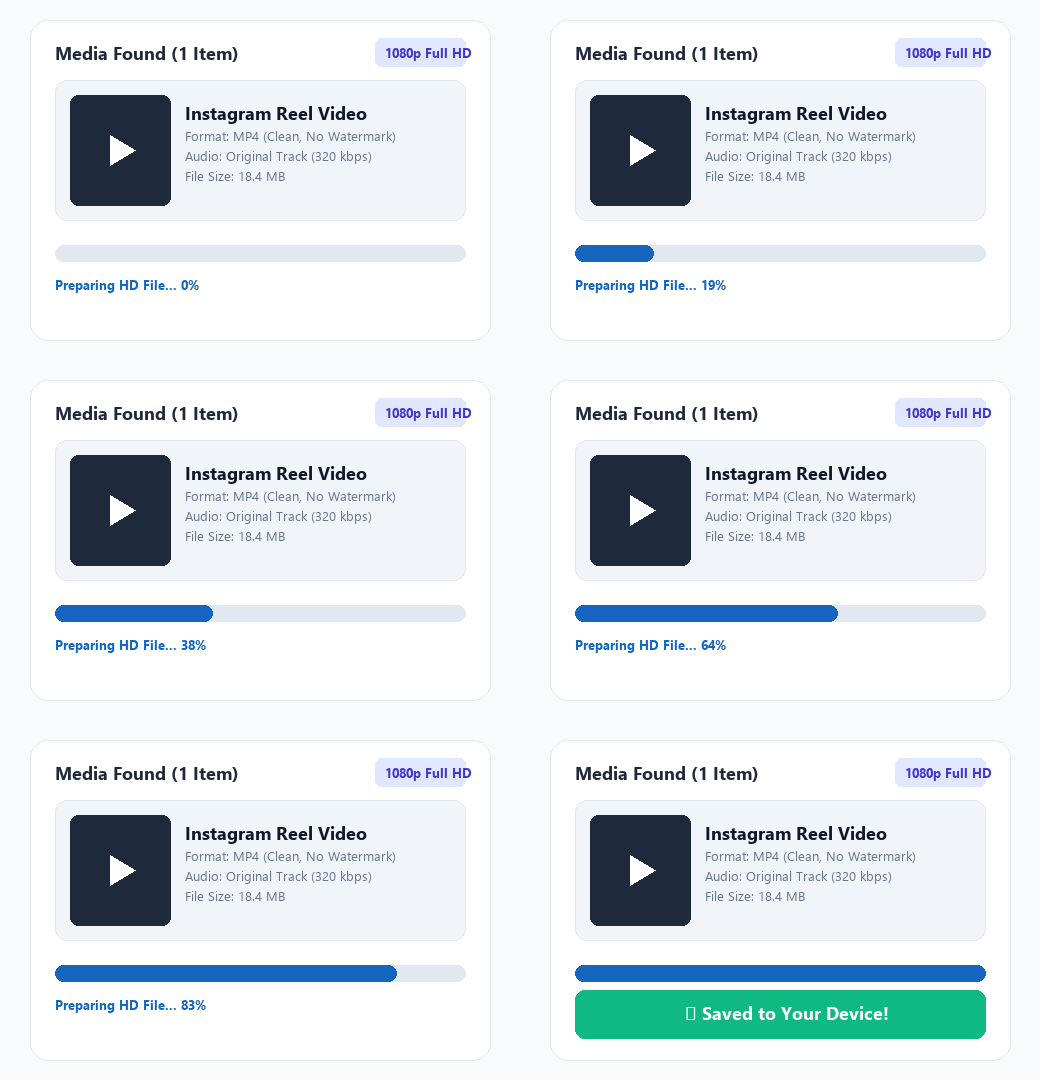
Step 3 Save HD
Download and save video or photo

Lưu

Chọn chất lượng mong muốn và tải tệp trực tiếp về thiết bị của bạn

Tại sao chọn iGram?

Cách đơn giản nhất để tải nội dung Instagram

Instant

Tải nhanh

Nhận tệp của bạn trong vài giây nhờ máy chủ tải xuống được tối ưu hóa.

Universal

Mọi thiết bị

Hoạt động trên iPhone, Android, máy tính bảng và máy tính. Không cần ứng dụng.

Zero-log

An toàn & Riêng tư

Không cần đăng nhập. Chúng tôi không lưu trữ dữ liệu hoặc nội dung tải xuống của bạn.

1080p HD

Reels & Bài đăng

Tải reels, bài đăng, video, carousel và nội dung IGTV.

100% Free

Không cần đăng ký

Bắt đầu tải ngay lập tức. Không cần tài khoản hay đăng ký.

Secure

Chỉ nội dung công khai

Tôn trọng quyền riêng tư bằng cách chỉ hỗ trợ nội dung công khai.

What You Can Download with iGram

iGram supports all public Instagram content types

Scroll horizontally to see all columns
Content Type How to Copy the Link File Format
Reels Short-form vertical video (9:16)
Tap Share (paper airplane) on the Reel, then tap Copy Link MP4 Video with original audio
Video Posts Standard Instagram feed video
Tap the three dots (...) on the post, then select Copy Link MP4 Video Full 1080p HD
Photos High-resolution still picture
Tap the three dots (...) on the post, then select Copy Link JPG Image Original resolution
Carousel Posts Multi-slide photo & video album
Tap Share on the post, then select Copy Link Multi-file Each photo (JPG) & video (MP4)
Stories 24-hour disappearing stories
Use the Story Saver with public username or story link MP4 or JPG While story is active
Profile Photos Full-size account avatar (DP)
Use the Profile Photo Downloader with username Full-size JPG High quality avatar

How to Download Instagram Content on Any Device

Zero app installations required — runs directly in your favourite web browser

iOS 13+ • Safari

iPhone and iPad

Open iGram in Safari, paste the Instagram link, and tap Download. Safari saves the file directly to your Downloads folder inside the Files app, from where you can easily save it to your Photos app.

  • 1 Copy Instagram link via Share menu
  • 2 Paste into iGram in Safari
  • 3 Tap Download → Open in Photos
Android 8+ • Chrome

Android Phones

Open iGram in Chrome, Firefox, or Samsung Internet, paste the link, and tap Download. Media files save directly to your phone's Downloads folder and instantly show up in Google Photos or your Gallery app.

  • 1 Tap Share → Copy Link in Instagram
  • 2 Open iGram in Chrome and paste
  • 3 Video instantly saves to Gallery
macOS • Windows

Windows and Mac

Open iGram in any browser (Chrome, Edge, Safari, Brave), paste the link from the address bar or Share button, and click Download. The file saves directly to your default Downloads folder in full HD.

  • 1 Copy URL from browser address bar
  • 2 Paste into iGram downloader
  • 3 File saves directly to Downloads

What iGram Cannot Download

We respect user privacy and Instagram guidelines: here is our clear scope of operation

Private Accounts

iGram strictly processes publicly accessible content. Posts from private accounts cannot be retrieved by external tools, and iGram never asks for your Instagram password.

Deleted & Expired Posts

Once a post is deleted by the creator or a 24-hour Story expires from Instagram servers, there is no file remaining to download.

Direct Messages

Direct Messages (DMs) are private 1-on-1 conversations protected by encryption and cannot be accessed or saved by any third-party downloader.

About iGram : Free Instagram Video Downloader

iGram is a free Instagram video downloader that lets you save videos, Reels, photos, and carousel posts from public Instagram accounts directly to your device. Whether you want to keep a tutorial, save a recipe Reel, or back up your own content, iGram makes it simple - paste the link, tap download, done.

Unlike many Instagram downloaders, iGram works entirely in your browser. There is nothing to install, no account to create, and no personal data collected. It supports posts shared as /p/ links, Reels shared as /reel/ links, and IGTV content. On mobile, your download saves through Safari or Chrome just like any other file.

iGram is built for speed and simplicity. The interface works across all screen sizes - phones, tablets, and desktops - so you can download Instagram videos wherever you are. We support 16 languages and respect creator rights by only accessing publicly available content.

Instagram Downloader — Download Videos, Reels, Stories & Photos Online

iGram is a free Instagram Downloader that allows users to download Instagram videos, Reels, Stories, Photos, Carousel posts and IGTV videos online. Simply copy the Instagram URL, paste it into the downloader and save content directly to your device.

Our Instagram Video Downloader works on Android, iPhone, Windows, Mac and tablets without requiring registration, login or app installation. All content is downloaded in the highest available quality.

Whether you want to download a Reel, save a Story before it expires, keep a favorite photo, archive a carousel post or download an IGTV video, iGram provides a fast and secure solution for every type of Instagram content.

The Instagram Reels Downloader supports MP4 format with original audio. The Instagram Story Saver works on public accounts and preserves photos and videos in original quality. The Instagram Photo Downloader saves images at their full resolution without compression.

iGram's Instagram Carousel Downloader extracts every item from multi-image posts in a single step. The Instagram Highlights Downloader handles highlight reel content. The Profile Photo Downloader lets you view and save full-size profile pictures.

All downloads are processed securely. iGram does not store your data, does not require your Instagram credentials, and does not add watermarks to downloaded content. Start downloading Instagram content for free today — no account required.

Câu hỏi thường gặp

Làm thế nào để tải reels Instagram?

Mở reels trên Instagram, nhấn vào menu ba chấm (…), chọn "Sao chép liên kết", dán vào ô trên iGram và nhấn Tải xuống.

iGram có miễn phí không?

Có, iGram hoàn toàn miễn phí. Không đăng ký, không thuê bao, không phí ẩn.

Tôi có thể tải bài đăng carousel nhiều ảnh không?

Có, iGram hỗ trợ bài đăng carousel. Tất cả ảnh và video trong carousel đều có thể tải xuống.

iGram có hoạt động trên điện thoại không?

Có, iGram hoạt động trên mọi thiết bị bao gồm iPhone, điện thoại Android, máy tính bảng và máy tính. Không cần cài đặt ứng dụng.

Tôi có thể tải nội dung Instagram riêng tư không?

Không. iGram chỉ hoạt động với nội dung Instagram công khai. Chúng tôi không truy cập tài khoản riêng tư hay thu thập thông tin đăng nhập.

Những định dạng URL Instagram nào được hỗ trợ?

iGram hỗ trợ URL bài đăng (/p/…), URL reels (/reel/… hoặc /reels/…) và URL IGTV (/tv/…). Chỉ cần sao chép liên kết từ Instagram và dán vào đây.

Tải nội dung Instagram có hợp pháp không?

Tải nội dung mà bạn có quyền (bài đăng của chính bạn, nội dung được chia sẻ với sự cho phép) nói chung là chấp nhận được. Hãy tôn trọng bản quyền và quyền sở hữu trí tuệ của người sáng tạo. Không phân phối lại nội dung mà không có sự cho phép.

Ready to Download Your Favorite Content?

Start downloading Instagram videos, photos, reels, and stories for free. No registration required. Works on all devices.

5M+Downloads
200K+Happy Users
99.9%Uptime
FreeForever